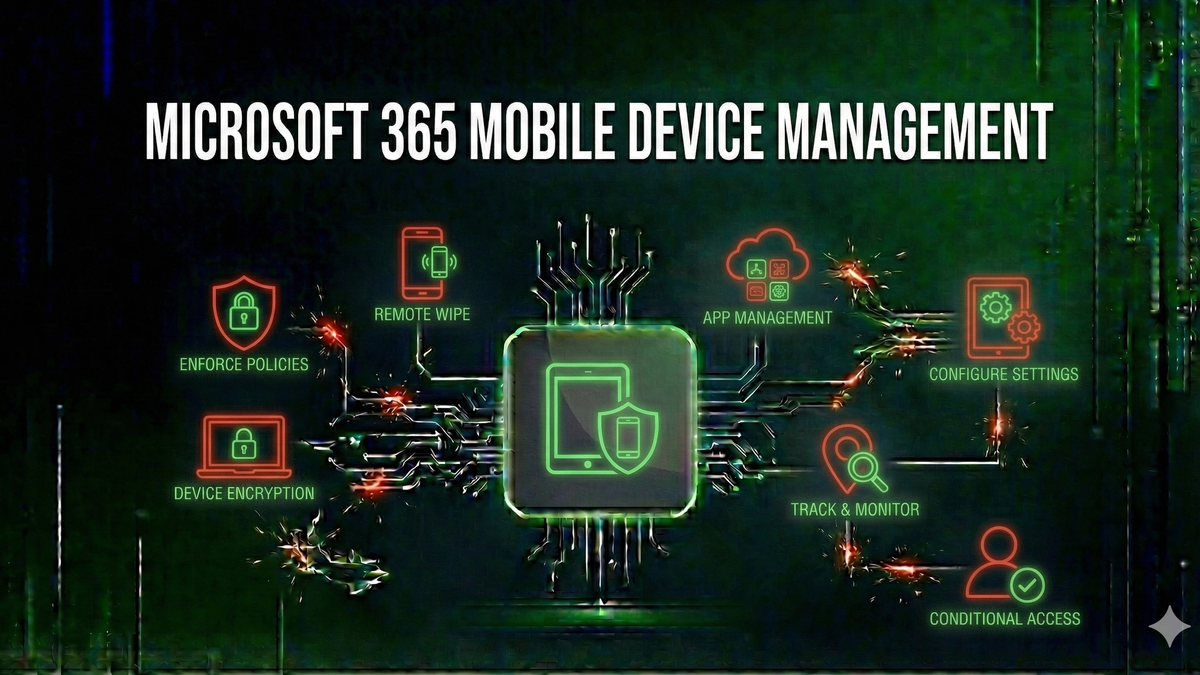
Microsoft 365 Mobile Device Management: Securing Corporate Email on Personal Devices
Learn how to secure corporate email and data on mobile devices using Microsoft 365's built-in MDM capabilities.
When employees access corporate email on their personal smartphones and tablets, IT administrators face a critical challenge: how do you protect sensitive company data without taking complete control of devices your organization doesn't own? Microsoft 365Microsoft 365🌐Microsoft's subscription-based cloud productivity suite including Office applications, Exchange Online, SharePoint, and Teams.'s Mobile Device Management (MDM) capabilities provide the answer, offering a range of options from basic device policies to comprehensive mobile application management.
In this guide, we'll explore Microsoft 365's MDM features, from the built-in Basic Mobility and Security to the more advanced Microsoft IntuneMicrosoft Intune🛡️Microsoft's cloud-based enterprise mobility management solution that provides MDM and MAM capabilities..
Understanding Mobile Device Management in Microsoft 365
Mobile Device Management refers to the tools and policies used to secure, monitor, and manage mobile devices that access corporate resources. In the Microsoft 365 ecosystem, MDM capabilities exist at multiple levels, each offering different features and levels of control.
Basic Mobility and Security
Included with most Microsoft 365 subscriptions, Basic Mobility and Security provides foundational MDM capabilities including device security policies, device access management, and selective wipes of corporate data.
Microsoft Intune
Microsoft Intune is a comprehensive enterprise mobility management solution that extends beyond basic MDM. It includes Mobile Application Management (MAM), App Protection Policies, Conditional AccessConditional Access🛡️A Microsoft Entra IDMicrosoft Entra ID🛡️Microsoft's cloud-based identity and access management service (formerly Azure Active Directory), providing authentication, SSO, and security features for Microsoft 365 and other applications. feature that evaluates signals about users, devices, and locations to make real-time access decisions., Configuration Profiles, and Compliance Policies.
Device Enrollment Options
Microsoft 365 MDM supports several enrollment scenarios: User Enrollment for BYOD (personal devices), Device Enrollment for corporate-owned devices, and Automated Device Enrollment for zero-touch deployment.
Creating Effective Device Policies
Device policies define security requirements including password/PIN requirements, device encryptionEncryption🛡️The process of converting data into a coded format that can only be read with the correct decryption key., and jailbreak/root detection. Effective policies balance security needs with user experience.
Implementing Conditional Access Policies
Conditional Access evaluates signals about users, devices, locations, and requested resources to make real-time access decisions. Common scenarios include requiring compliant devices, requiring MFA for risky sign-ins, and blocking legacy authenticationLegacy Authentication🛡️Older authentication protocols (POP, IMAP, SMTP AUTH, older Office clients) that don't support modern security features like MFA, making them prime targets for credential attacks..
Exchange ActiveSync and Conditional Access
When devices connect to Exchange OnlineExchange Online🌐Microsoft's cloud-based email and calendaring service, part of Microsoft 365, that hosts mailboxes in Microsoft's data centers. using Exchange ActiveSync, Conditional Access policies can control their access. For a detailed understanding of how ActiveSync works, see our guide on What is Exchange ActiveSync.
Mobile Application Management Without Device Enrollment
MAM without device enrollment protects corporate data within managed apps without requiring users to enroll their personal devices. App protection policies can prevent "Save As" to unmanaged locations, block cut/copy/paste, require PIN for app access, and enable selective wipe.
Preparing for the Exchange ActiveSync 16.1 Requirement
Microsoft's announcement that Exchange Online will require EAS version 16.1 or higher starting March 2026 has significant implications for MDM planning. For full details, see our coverage: Microsoft to Block Outdated Exchange ActiveSync Devices.
Key Takeaways
Keep Learning
Frequently Asked Questions
What authentication methods are most secure?
Multi-factor authentication (MFA) using hardware security keys or authenticator apps provides the strongest protection. Avoid SMS-based verification when possible, and use a password managerPassword Manager🛡️Software that securely stores and auto-fills passwords, generating strong unique passwords for each account. for unique, complex passwords.
Is it safe to run PowerShell scripts in production?
Yes, with proper controls. Use Constrained Language Mode, enable script block logging, require code signing, and implement just-in-time administration. This guide covers these hardening techniques in detail.
What are the most critical security settings in Microsoft 365?
Enable Security DefaultsSecurity Defaults🛡️A set of basic identity security settings in Microsoft Entra ID that enable MFA, block legacy authentication, and protect privileged accounts—recommended for organizations without premium licenses. or Conditional Access, require MFA for all users, disable legacy authentication, configure alert policies, and regularly review the Microsoft Secure Score recommendations.
What will I learn from this article?
Learn how to secure corporate email and data on mobile devices using Microsoft 365's built-in MDM capabilities.
Related Reviews

REOLINK 4K Security Camera System Review: Professional PoE Surveillance at DIY Prices
The REOLINK 4K PoE security system delivers 8MP clarity, smart person/vehicle detection, 24/7 recording with 4TB storage, and plug-and-play installation for comprehensive home surveillance.
Ring Outdoor Cam Pro Review: 4K Security Camera with Radar-Powered Motion Detection
The Ring Outdoor Cam Pro delivers Retinal 4K video, 10x enhanced zoom, Low-Light Sight for true color night vision, and radar-powered 3D motion detection for precise security alerts.
Cisco Duo Review: Enterprise MFA Made Simple
Cisco Duo delivers robust multi-factor authentication with one of the smoothest user experiences in the enterprise MFA space. While pricing can escalate quickly for larger teams, its device trust and adaptive policies make it a solid choice for security-conscious organizations.