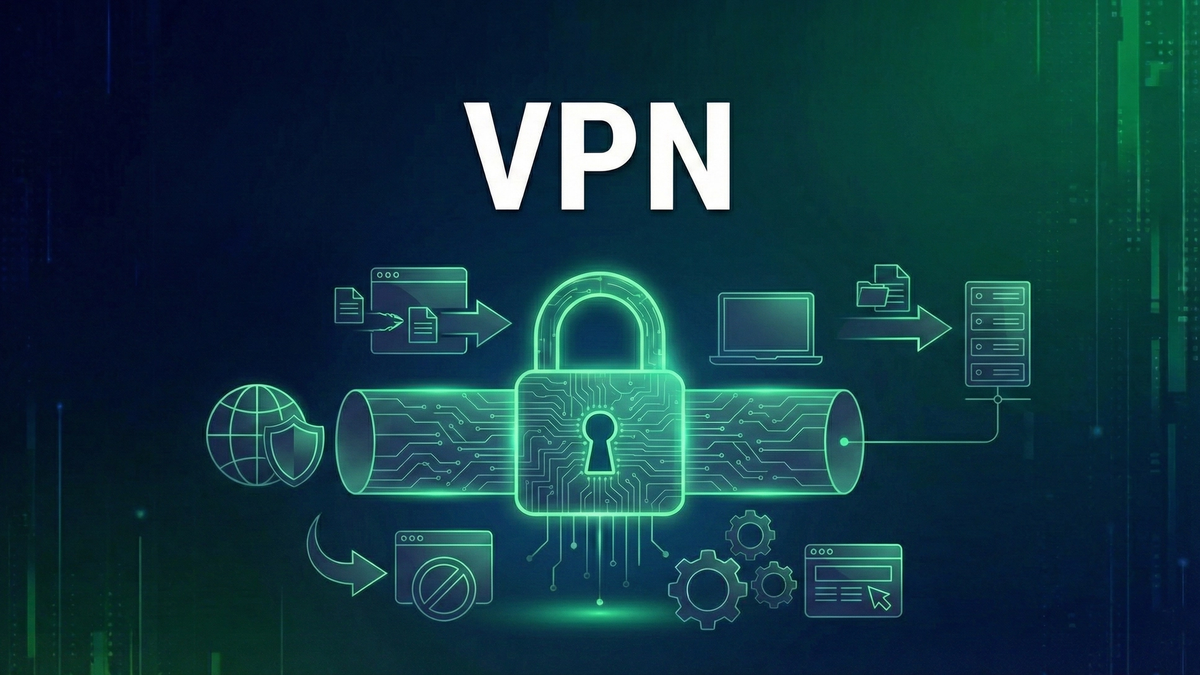
What is a VPN? The Complete Guide to Virtual Private Networks
Learn what a VPN is, how it works, what it protects you from, and how to choose the right VPN. A comprehensive guide to understanding Virtual Private Networks.
A Virtual Private Network (VPN) is one of the most effective tools for protecting your online privacy and security. Whether you're working from a coffee shop, streaming content while traveling, or simply want to keep your ISP from tracking your browsing habits, a VPN creates a secure, encrypted connection between your device and the internet.
This comprehensive guide explains exactly how VPNs work, what they protect you from, their limitations, and how to choose the right VPN for your needs. By the end, you'll understand the technology well enough to make informed decisions about your online security.
How Does a VPN Work?
When you connect to the internet without a VPN, your traffic flows directly from your device to your Internet Service Provider (ISP), then to websites and services you visit. Your ISP can see every website you access, and websites can see your real IP addressIP Address🔐A unique numerical identifier assigned to every device connected to the internet.—a unique identifier that reveals your approximate location and can be used to track you across the web.
A VPN changes this by creating an encrypted tunnel between your device and a VPN server. Your traffic first travels through this tunnel to the VPN server, which then forwards it to its destination. Websites see the VPN server's IP address instead of yours, and your ISP sees only encrypted data flowing to the VPN server—not what you're actually doing online.
The Encrypted Tunnel
Think of a VPN tunnel like a private, sealed pipe running through public space. Data traveling through the pipe is invisible and untouchable to anyone outside. The encryptionEncryption🛡️The process of converting data into a coded format that can only be read with the correct decryption key. ensures that even if someone intercepts your traffic, they see only meaningless scrambled data.
This tunnel uses sophisticated encryption protocols—mathematical algorithms that transform readable data into encrypted ciphertext. Modern VPNs typically use AES-256 encryption, the same standard used by governments and militaries worldwide. Breaking this encryption with current technology would take longer than the age of the universe.
Connection Process
VPN Protocols Explained
VPN protocols determine how your data is encrypted and transmitted. Different protocols offer various trade-offs between security, speed, and compatibility.
WireGuardWireGuard🔐A modern, lightweight VPN protocol known for high speeds and strong security.
WireGuard is the newest major protocol, designed for simplicity and performance. With only about 4,000 lines of code (compared to hundreds of thousands for older protocols), it's easier to audit for security vulnerabilities. WireGuard offers excellent speeds and strong encryption, making it the preferred choice for most users. Many providers now use WireGuard as their default protocol.
OpenVPNOpenVPN🔐An open-source VPN protocol widely considered secure and reliable, though slower than WireGuard.
OpenVPN has been the industry standard for years. It's open-source, heavily audited, and extremely secure. While slightly slower than WireGuard, it remains an excellent choice and is supported by virtually every VPN provider. OpenVPN can run on both TCP and UDP ports, making it versatile for bypassing network restrictions.
IKEv2/IPsec
IKEv2 excels at maintaining stable connections, especially on mobile devices. If you lose internet connectivity momentarily—switching between WiFi and cellular, for example—IKEv2 reconnects almost instantly. It's fast and secure, though not as widely supported as OpenVPN.
Protocols to Avoid
PPTP (Point-to-Point Tunneling Protocol) is outdated and has known security vulnerabilities—avoid it entirely. L2TP/IPsec is better but still considered less secure than modern alternatives. If your VPN only offers these protocols, consider switching providers.
What Does a VPN Protect You From?
ISP Surveillance
Your Internet Service Provider can see every website you visit, every service you connect to, and when you're online. In many countries, ISPs can legally sell this browsing data to advertisers. A VPN hides your activity from your ISP—they see only that you're connected to a VPN server, not what you're doing through it.
Public WiFi Threats
Public WiFi networks at coffee shops, airports, and hotels are inherently insecure. Attackers on the same network can potentially intercept your traffic, steal passwords, or inject malicious content. A VPN encrypts your connection, making public WiFi as secure as your home network.
IP-Based Tracking
Your IP address reveals your approximate location and can be used to track you across websites. Advertisers, websites, and other entities use IP addresses to build profiles of your online behavior. A VPN masks your real IP, making this tracking much harder.
Geo-Restrictions
Many streaming services, websites, and online content are restricted to specific countries. By connecting to a VPN server in another location, you can access content as if you were physically there. This is useful for travelers wanting to access their home country's services or anyone wanting to bypass regional restrictions.
Government Censorship
In countries with internet censorship, VPNs can provide access to blocked websites and services. However, some governments actively block VPN connections, so effectiveness varies by location. If you're in a restrictive country, choose a VPN with obfuscation features designed to disguise VPN traffic.
What a VPN Cannot Do
Understanding VPN limitations is just as important as knowing their benefits. VPNs are powerful tools, but they're not magic shields.
Complete Anonymity
A VPN significantly improves privacy but doesn't make you anonymous. Websites can still track you through cookies, browser fingerprinting, and account logins. If you log into Google with a VPN, Google still knows it's you. For true anonymity, you'd need additional tools like the Tor browser—and even then, perfect anonymity is extremely difficult.
Malware Protection
VPNs don't protect against malware, viruses, or phishingPhishing🛡️A social engineering attack using fake emails or websites to steal login credentials or personal info. attacks. If you download a malicious file or click a phishing link, the VPN won't stop it. You still need antivirus software and good security practices. Some VPNs include basic malware blocking, but this shouldn't replace dedicated security software.
Account Security
A VPN won't prevent your accounts from being hacked if you use weak passwords or fall for phishing. It protects data in transit but not the security of your accounts themselves. Use strong, unique passwords and enable two-factor authentication for critical accounts.
Legal Protection
Using a VPN doesn't make illegal activities legal. If you use a VPN to commit crimes, law enforcement can still potentially identify you through various means. VPN providers may be compelled to cooperate with legal requests, and your identity can be revealed through mistakes or other data sources.
How to Choose a VPN
No-Logs PolicyNo-Logs Policy🔐A VPN provider's commitment to not record or store user activity, connection times, or IP addresses.
The most important factor is a verified no-logs policy. This means the VPN provider doesn't record your browsing activity, connection times, or IP addresses. Look for providers that have undergone independent audits to verify their no-logs claims. Without this, you're just shifting your trust from your ISP to the VPN provider.
Jurisdiction
Where a VPN company is based matters. Some countries have data retention laws or are part of intelligence-sharing alliances (like the Five Eyes). VPNs based in privacy-friendly jurisdictions like Panama, Switzerland, or the British Virgin Islands may offer stronger legal privacy protections.
Speed and Servers
A VPN is only useful if it's fast enough to not disrupt your internet experience. Look for providers with large server networks and support for fast protocols like WireGuard. More servers generally means less congestion and better speeds. Server locations matterMatter🏠A new universal smart home standard backed by Apple, Google, and Amazon for cross-platform compatibility. too—choose a provider with servers in regions you need to access.
Security Features
Price
Quality VPNs typically cost $3-12 per month, with significant discounts for annual or multi-year plans. Free VPNs are generally not recommended—they often have data caps, slow speeds, and questionable privacy practices. If you're not paying for the product, your data is likely the product.
Setting Up and Using a VPN
Modern VPNs are designed for ease of use. Setup typically takes just a few minutes:
For best results, enable the kill switch in settings, set the VPN to auto-connect on startup, and use WireGuard protocol if available. Test for IP and DNS leaks using online tools to verify your VPN is working correctly.
Common VPN Use Cases
Traveling
When traveling, you encounter unfamiliar networks and may lose access to services from home. A VPN secures your connection on hotel WiFi and lets you access your usual streaming services, banking apps, and other region-locked content as if you were home.
Remote Work
Many companies require VPN connections to access internal resources. Even if your employer doesn't mandate it, using a VPN while working remotely protects sensitive business communications from interception, especially on public networks.
Daily Privacy
Many people run their VPN continuously for general privacy. This prevents ISP tracking, reduces targeted advertising, and provides consistent protection regardless of what network you're on. With fast protocols like WireGuard, the speed impact is minimal.
Gaming
Gamers use VPNs to reduce lag by connecting to servers closer to game servers, access games released earlier in other regions, protect against DDoS attacks, and bypass unfair regional pricing.
Conclusion
A VPN is an essential privacy tool in today's digital world. By encrypting your connection and masking your IP address, it protects you from ISP surveillance, public WiFi threats, and IP-based tracking while enabling access to geo-restricted content.
However, a VPN is just one layer of a comprehensive security approach. Combine it with strong passwords, two-factor authentication, up-to-date software, and good browsing habits for genuine online security.
When choosing a VPN, prioritize verified no-logs policies, strong encryption, and fast protocols. Pay for a reputable service—your privacy is worth more than the few dollars a quality VPN costs monthly.
Keep Learning
Related Reviews
NordVPN Review: Industry-Leading Security with Impressive Speed
NordVPN continues to dominate the VPN market with its combination of strong security, fast speeds, and innovative features like Meshnet. While it has a few shortcomings in Asia-Pacific performance, it remains one of the best VPN services available.
Best VPNs for 2025: Top Pick for Privacy, Streaming, and Security
Our top VPN recommendation for 2025 delivers fast speeds, servers in 90+ countries, military-grade encryption, and reliable streaming access—everything you need for online privacy.
REOLINK 4K Security Camera System Review: Professional PoE Surveillance at DIY Prices
The REOLINK 4K PoE security system delivers 8MP clarity, smart person/vehicle detection, 24/7 recording with 4TB storage, and plug-and-play installation for comprehensive home surveillance.